
How to repair front camera flex for iPhone 15 Serials and newer
· 1 min read
In short
Front camera not working after replacement? Check it out on this blog
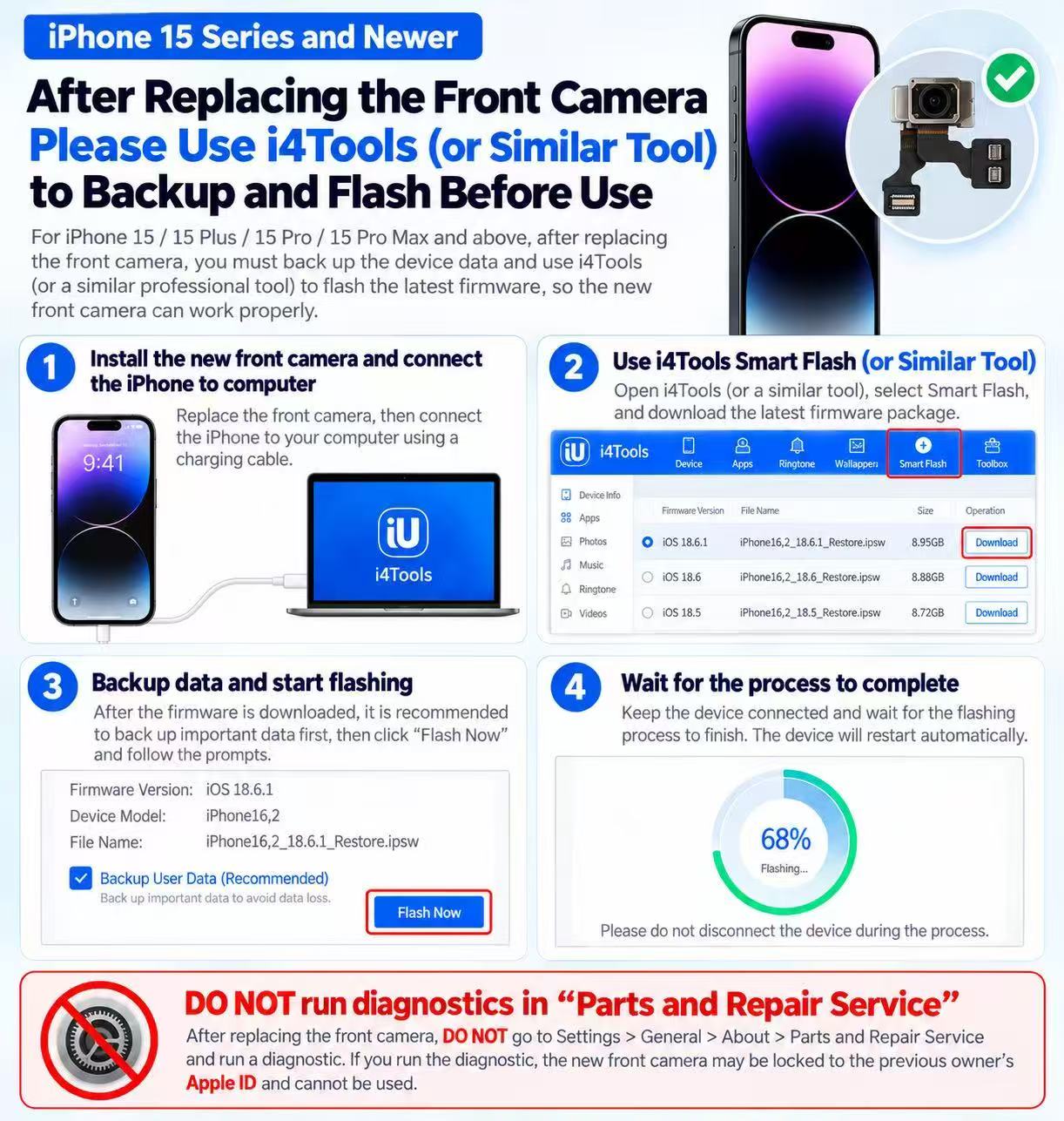
iPhone 15 Series and Newer – Front Camera Replacement Guide
Important Steps After Replacing the Front Camera
Applicable Models: iPhone 15, 15 Plus, 15 Pro, 15 Pro Max and newer models.
After replacing the front camera assembly, some devices may require additional software configuration to restore proper camera functionality.
Step 1 – Install the Front Camera
- Install the replacement front camera assembly correctly.
- Reassemble the device and ensure all connectors are properly seated.
- Connect the iPhone to a computer using a compatible USB cable.
Step 2 – Back Up Data and Prepare i4Tools
- Open i4Tools (3uTools) or another compatible firmware utility.
- Back up all important customer data before proceeding.
- Select the appropriate firmware for the exact iPhone model.
- Verify firmware compatibility before starting.
Step 3 – Flash Firmware if Required
- Open the Smart Flash section.
- Select the correct signed iOS firmware.
- Choose a data-preserving flashing option if supported.
- Start the flashing process and follow the software instructions.
Important: Firmware flashing is not guaranteed to preserve data or resolve camera pairing issues. Always obtain customer consent before proceeding.
Step 4 – Complete and Test
- Wait until the process finishes.
- Do not disconnect the iPhone during flashing.
- Restart the device if necessary.
- Test the front camera, Face ID and other related functions.
Important Notice – Apple Parts & Service History
Replacement front camera assemblies may require Apple’s official repair configuration process.
Do not assume that firmware flashing can bypass Apple’s component pairing or Activation Lock protections.
If the device displays a repair completion message, check whether the replacement part supports Apple’s Repair Assistant.
A previously used component may be subject to Activation Lock restrictions.
Skyline Mobile Parts – Technical Support
This guide is intended for professional repair technicians. Results may vary depending on the iPhone model, iOS version and replacement camera assembly.
More repair guides
iphone · screens
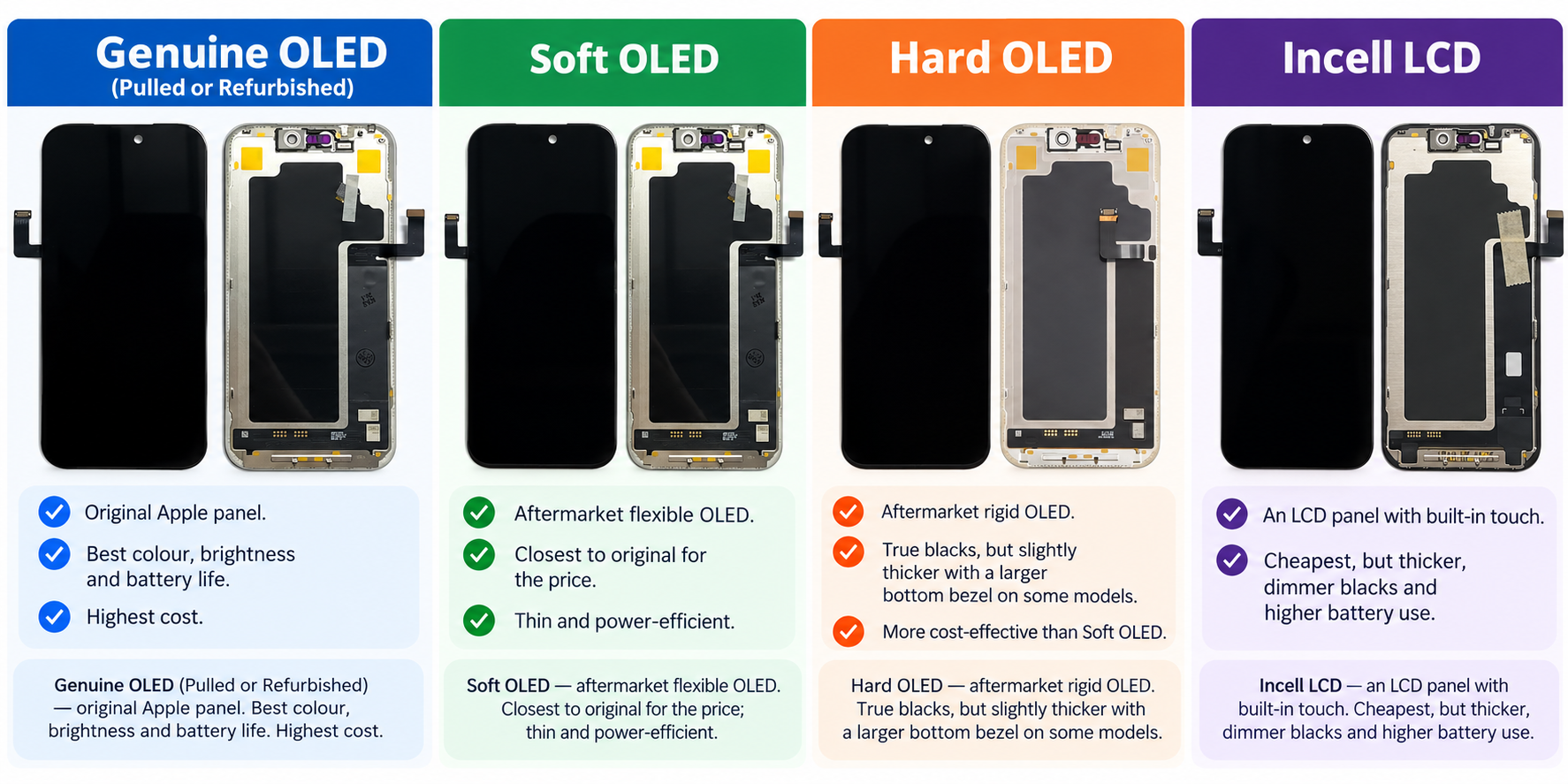
Incell vs Hard OLED vs Soft OLED: Which iPhone Replacement Screen Should You Use?
For OLED iPhones (X and newer), a soft OLED or genuine pulled/refurbished OLED looks closest to the original. Incell LCDs are the cheapest option but are thicker, use more battery and lose the deep blacks of OLED. Hard OLED sits in between.
22 October 2026
iphone · back glass
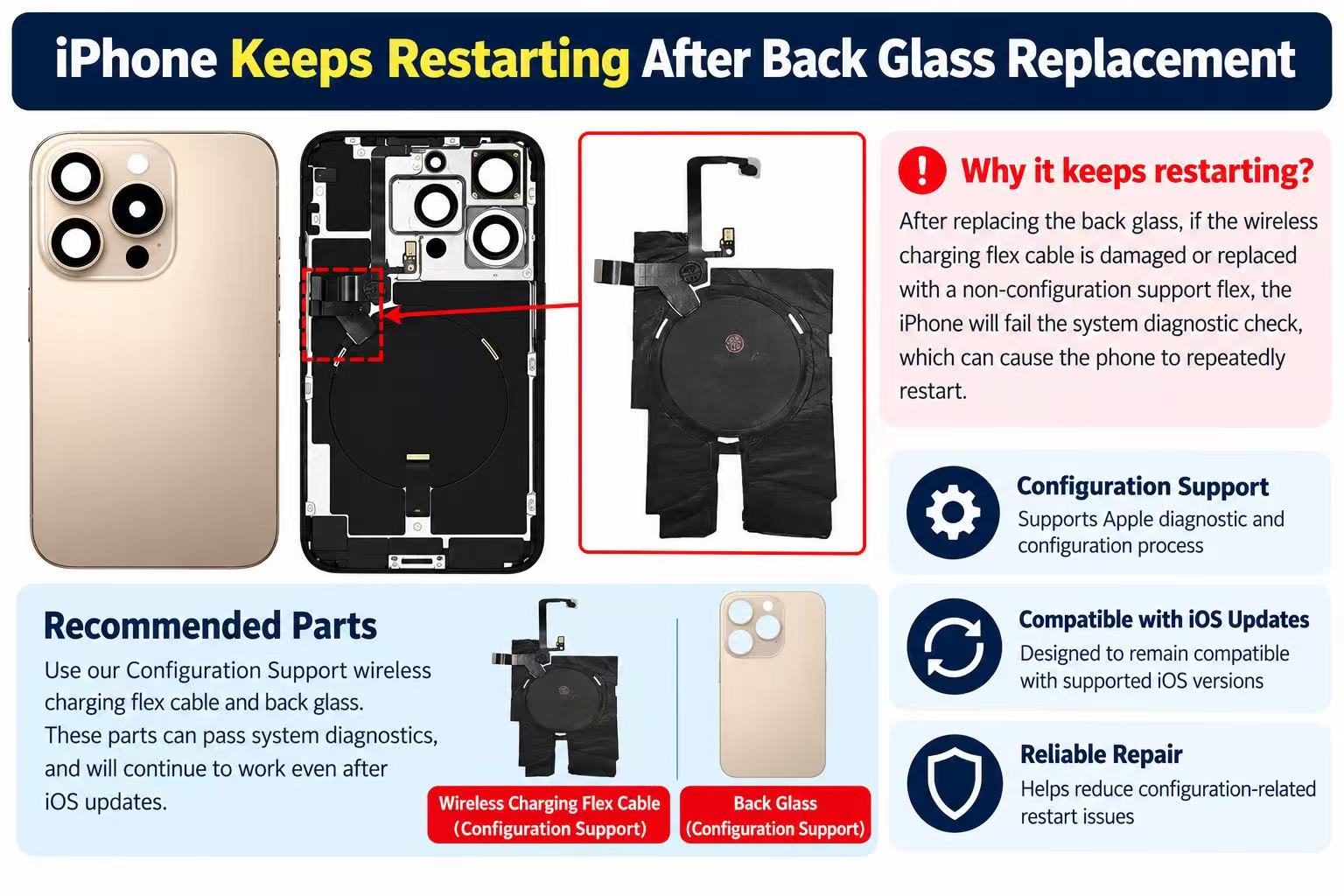
Why iPhones keep restarting after back glass or wireless charging flex replacement?
iPhone keep restarting every 2 - 3 minutes after back glass or wireless charging flex replaced?
21 October 2026· Easy· 20 min
samsung · z flip
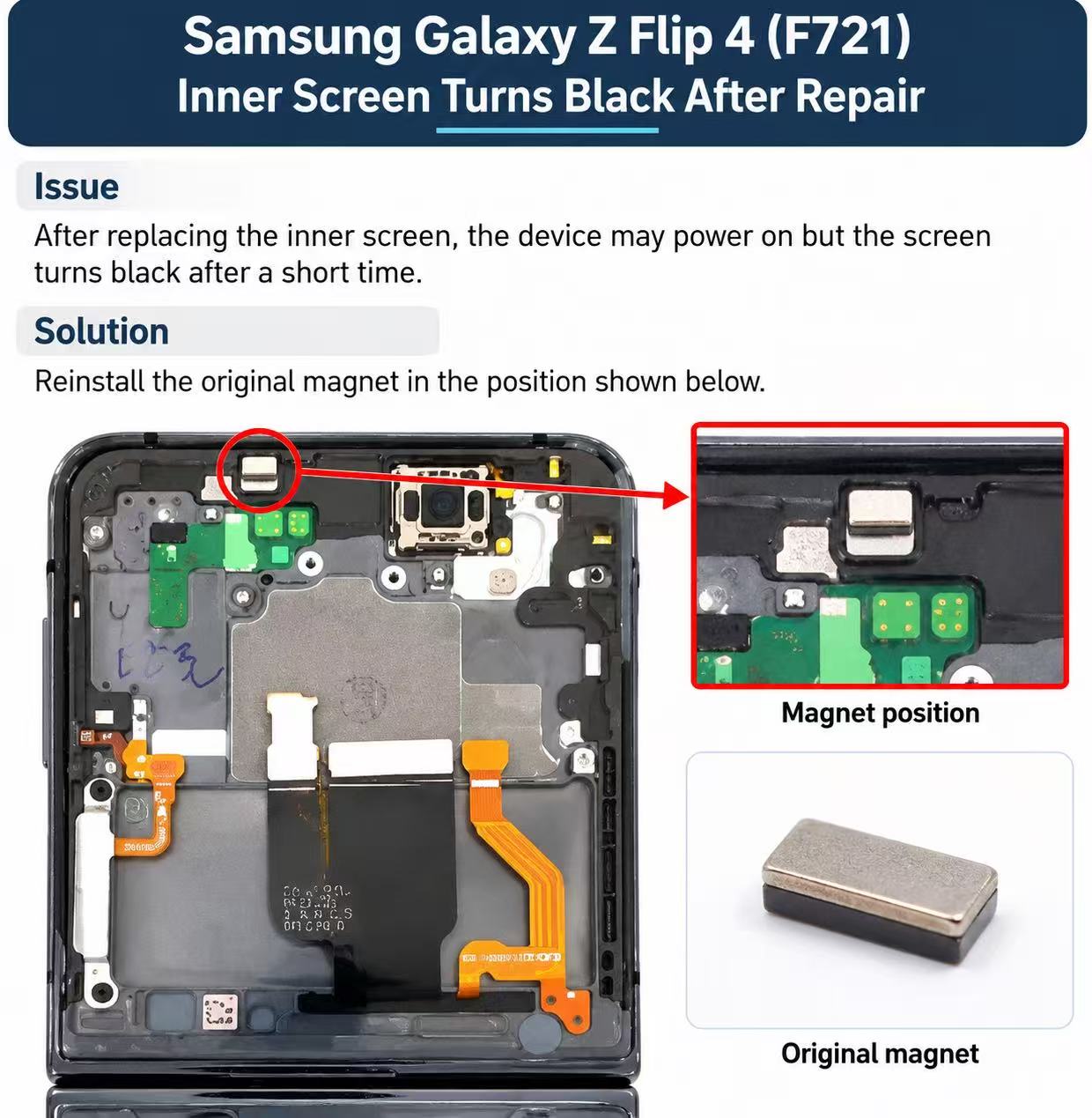
Samsung Galaxy Z Flip 4 (F721) - Black Screen Repair Guide
After replacing the inner screen, the device may power on but the screen turns black after a short time.
21 October 2026· Easy· 5 min